> ## Documentation Index
> Fetch the complete documentation index at: https://docs.noxus.ai/llms.txt
> Use this file to discover all available pages before exploring further.
# Building Flows
> Build, change, schedule and test flows with Genie
Describe the inputs, what should happen and the output. Genie picks the nodes, wires them and validates the flow before reporting back.
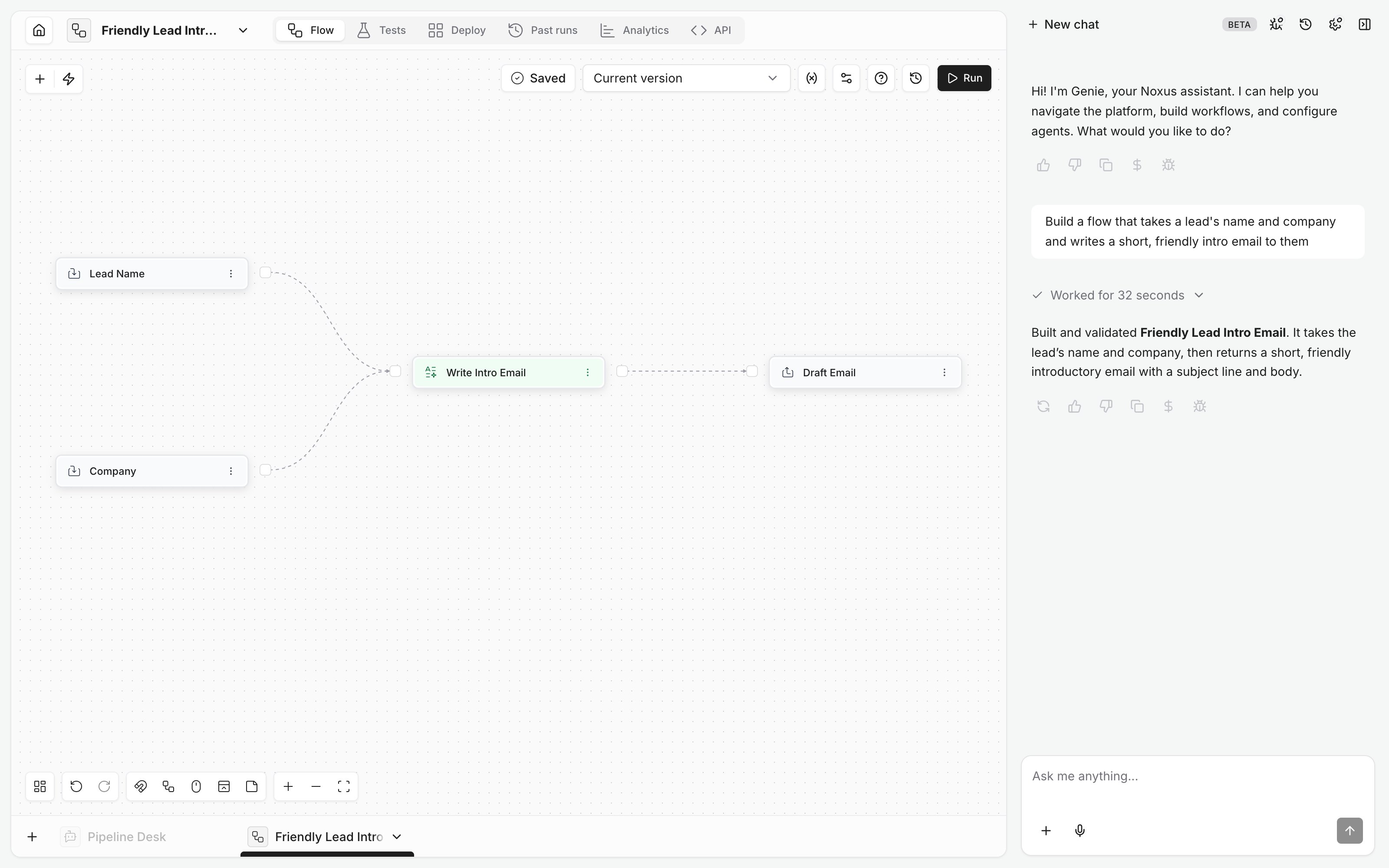 * **New or open flow.** "Build a flow" always creates a new one. "Change this flow" edits the one open in the editor; the card lists steps added, changed and removed. If it's ambiguous, Genie asks.
* **Testing.** A test up to a step and a full run both ask first, since the steps can send emails or write data.
* **Triggers.** Times are in your browser's time zone.
* **Delete and restore.** Genie can restore a deleted flow with its runs. Its triggers and tags are gone for good, so Genie recreates the triggers it needs.
## Examples
* "Build a flow that summarizes a PDF and writes the summary to the Notes table."
* "In this flow, send the email only when the deal value is over 10,000."
* "Run this flow every weekday at 8:00."
* "Why did the last run fail?"
This documentation is built and hosted on [Mintlify](https://mintlify.com), a developer documentation platform.
* **New or open flow.** "Build a flow" always creates a new one. "Change this flow" edits the one open in the editor; the card lists steps added, changed and removed. If it's ambiguous, Genie asks.
* **Testing.** A test up to a step and a full run both ask first, since the steps can send emails or write data.
* **Triggers.** Times are in your browser's time zone.
* **Delete and restore.** Genie can restore a deleted flow with its runs. Its triggers and tags are gone for good, so Genie recreates the triggers it needs.
## Examples
* "Build a flow that summarizes a PDF and writes the summary to the Notes table."
* "In this flow, send the email only when the deal value is over 10,000."
* "Run this flow every weekday at 8:00."
* "Why did the last run fail?"
This documentation is built and hosted on [Mintlify](https://mintlify.com), a developer documentation platform.