> ## Documentation Index
> Fetch the complete documentation index at: https://docs.noxus.ai/llms.txt
> Use this file to discover all available pages before exploring further.
# Introduction
> Automated testing and quality assurance for your flows
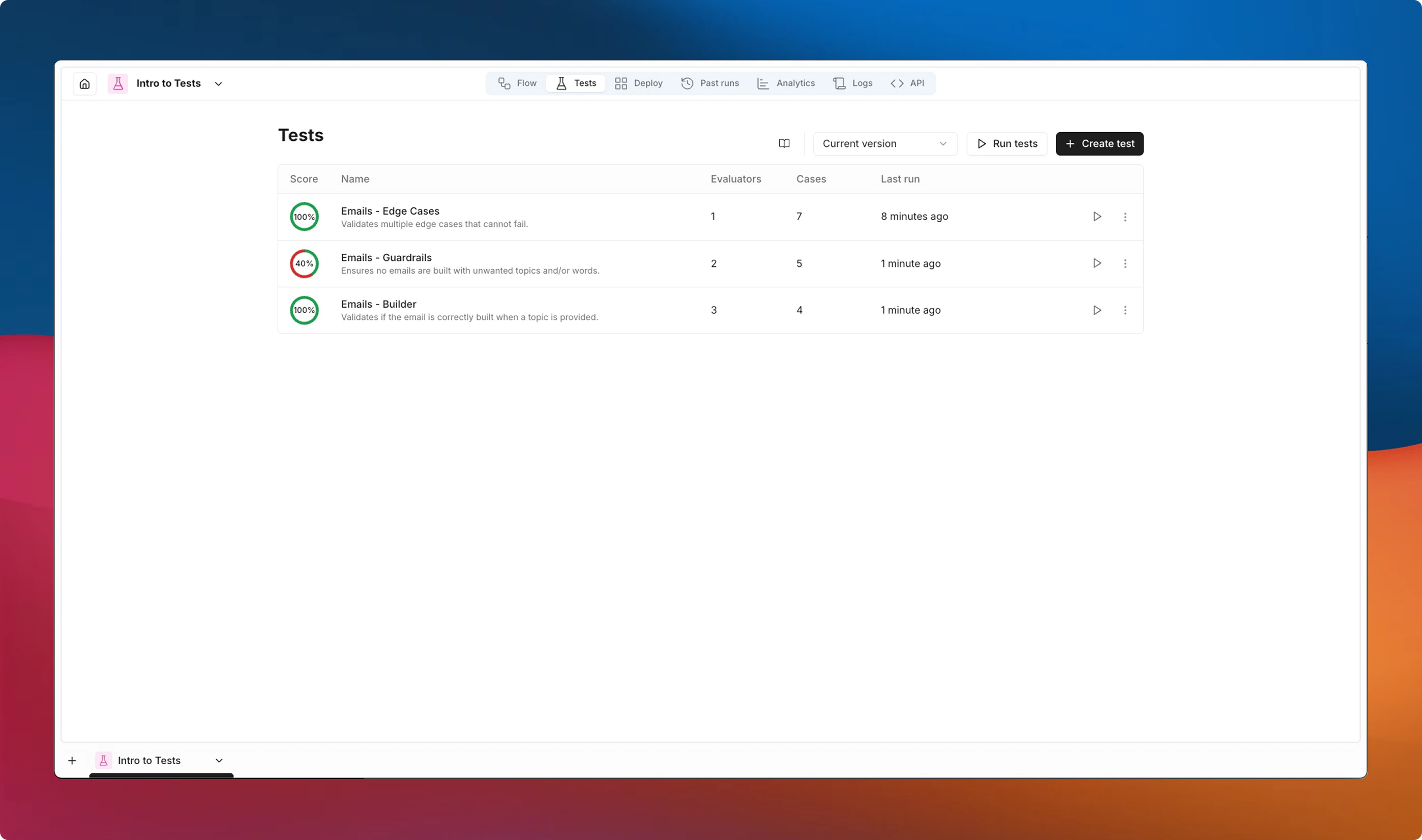
Tests (or Evaluations) let you define repeatable tests that verify your flows produce correct, high-quality outputs. By combining **tests**, **evaluators**, and **cases**, you can catch regressions, compare versions, and build confidence before deploying changes.
 ## Key Concepts
### Tests
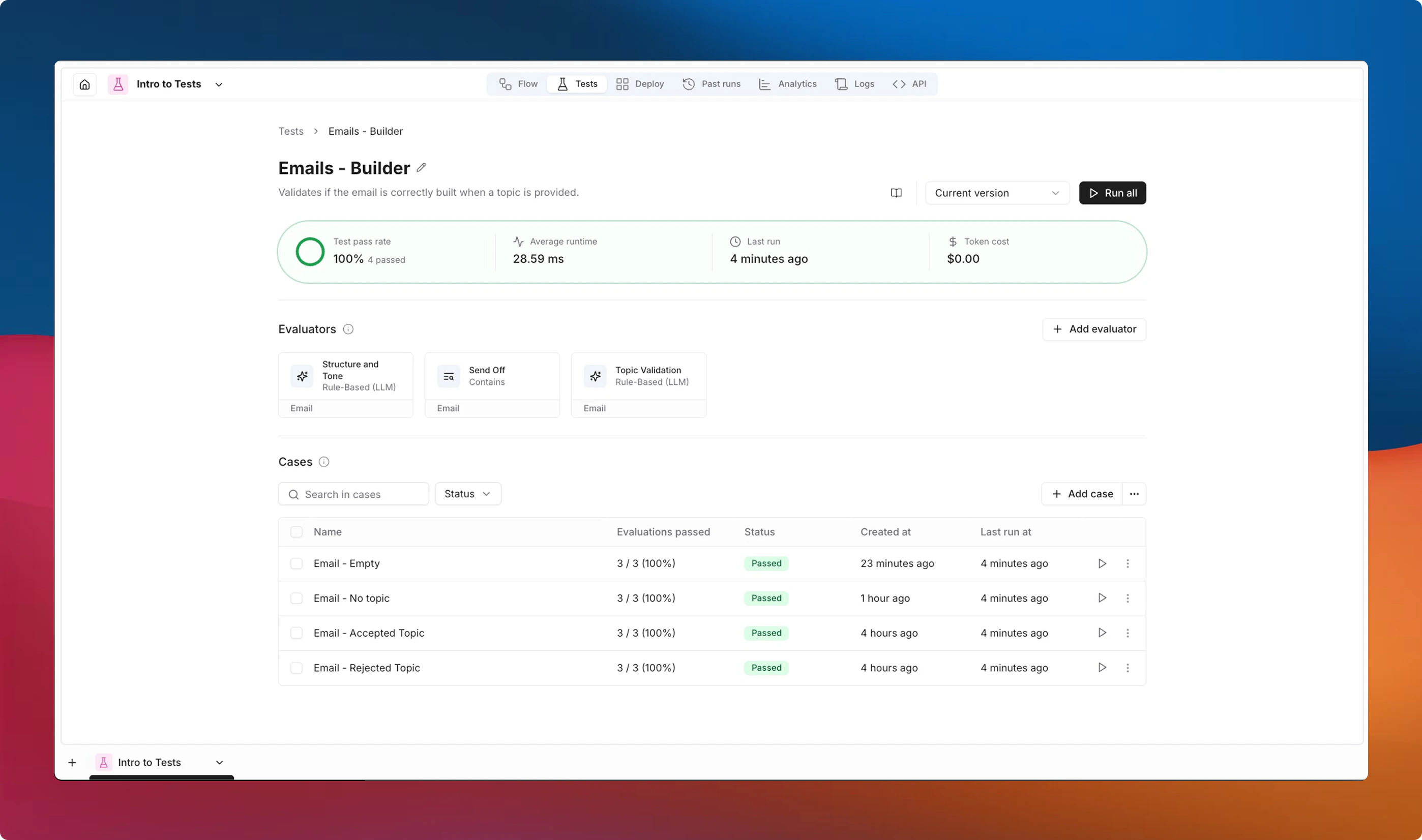
A test is a named collection of evaluators and cases scoped to a single flow. Each test acts as an independent group that can be run on its own or together with other tests.
A test contains:
* **Evaluators** -- rules or criteria that score each case's output.
* **Cases** -- specific input scenarios to run against your flow.
### Evaluators
Evaluators are the scoring functions applied to each case's output. They determine whether the output is correct by returning a **pass/fail** result.
Only text outputs can be evaluated at this time. File outputs, images, and other non-text types are not supported by evaluators.
Noxus provides two categories of evaluators:
* **Deterministic evaluators** -- rule-based checks like regex matching, string comparison, and JSON validation. Fast, predictable, and free.
* **AI evaluators** -- LLM-powered assessments that score outputs against natural language rules or multi-criteria rubrics. Flexible but consume model tokens.
See [Evaluators](/platform/tests/evaluators) for the full list of available evaluators and their configuration options.
### Cases
A case defines the inputs your flow will receive during an evaluation run.
Cases can optionally include **Evaluator Values** -- parameters that an evaluator needs to perform its check. You can override some of these values per case when a specific scenario requires different criteria.
For example, the `Equals` evaluator requires a target value to compare against, and that target may differ from one case to another.
You can create cases manually or generate them from a previous successful run.
See [Cases](/platform/tests/test-cases) for details on creating and managing test cases.
## How It Works
1. **Create a test** for your flow.
2. **Add evaluators** that define what "correct" means -- string matches, JSON validation, LLM-based scoring, or any combination.
3. **Add cases** with the inputs you want to verify.
4. **Run the test** against the current version or a specific version of your flow.
5. **Review results** -- each case shows a pass/fail status per evaluator, an overall score, and detailed feedback.
When your flow definition changes after a run, results are automatically flagged as **outdated** so you know to re-run.
## Key Concepts
### Tests
A test is a named collection of evaluators and cases scoped to a single flow. Each test acts as an independent group that can be run on its own or together with other tests.
A test contains:
* **Evaluators** -- rules or criteria that score each case's output.
* **Cases** -- specific input scenarios to run against your flow.
### Evaluators
Evaluators are the scoring functions applied to each case's output. They determine whether the output is correct by returning a **pass/fail** result.
Only text outputs can be evaluated at this time. File outputs, images, and other non-text types are not supported by evaluators.
Noxus provides two categories of evaluators:
* **Deterministic evaluators** -- rule-based checks like regex matching, string comparison, and JSON validation. Fast, predictable, and free.
* **AI evaluators** -- LLM-powered assessments that score outputs against natural language rules or multi-criteria rubrics. Flexible but consume model tokens.
See [Evaluators](/platform/tests/evaluators) for the full list of available evaluators and their configuration options.
### Cases
A case defines the inputs your flow will receive during an evaluation run.
Cases can optionally include **Evaluator Values** -- parameters that an evaluator needs to perform its check. You can override some of these values per case when a specific scenario requires different criteria.
For example, the `Equals` evaluator requires a target value to compare against, and that target may differ from one case to another.
You can create cases manually or generate them from a previous successful run.
See [Cases](/platform/tests/test-cases) for details on creating and managing test cases.
## How It Works
1. **Create a test** for your flow.
2. **Add evaluators** that define what "correct" means -- string matches, JSON validation, LLM-based scoring, or any combination.
3. **Add cases** with the inputs you want to verify.
4. **Run the test** against the current version or a specific version of your flow.
5. **Review results** -- each case shows a pass/fail status per evaluator, an overall score, and detailed feedback.
When your flow definition changes after a run, results are automatically flagged as **outdated** so you know to re-run.
 ## Score Ring
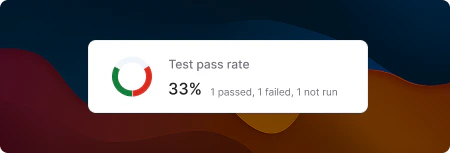
Each test displays a score ring summarizing the latest results at a glance:
* **Green** -- passed cases
* **Red** -- failed cases (evaluator assertions did not pass)
* **Gray** -- cases not yet run, or cases that encountered an execution error
The percentage shown is the overall pass rate across all cases.
## Score Ring
Each test displays a score ring summarizing the latest results at a glance:
* **Green** -- passed cases
* **Red** -- failed cases (evaluator assertions did not pass)
* **Gray** -- cases not yet run, or cases that encountered an execution error
The percentage shown is the overall pass rate across all cases.
 ## Statuses
Cases can have the following statuses:
| Status | Meaning |
| -------------------------------------------------------------------------------------------------------------------------------------------------------------------------------------------------------------------------- | ------------------------------------------------------------------------------------- |
| Passed | All evaluators passed for this case. |
| Failed | One or more evaluators did not pass. |
| Error | The flow failed to execute before evaluators could run. |
| Running | The evaluation is currently in progress. |
| Not run | No evaluation results exist for this case yet. |
| Cancelled | The evaluation run was cancelled by a user. |
| — | Results exist but the flow, evaluators, or case data have changed since the last run. |
## Next Steps
* [Evaluators](/platform/tests/evaluators) -- explore all available evaluator types and their configuration.
* [Cases](/platform/tests/test-cases) -- learn how to create and manage test cases.
* [Running Tests](/platform/tests/running-tests) -- understand how to run evaluations and interpret results.
## Statuses
Cases can have the following statuses:
| Status | Meaning |
| -------------------------------------------------------------------------------------------------------------------------------------------------------------------------------------------------------------------------- | ------------------------------------------------------------------------------------- |
| Passed | All evaluators passed for this case. |
| Failed | One or more evaluators did not pass. |
| Error | The flow failed to execute before evaluators could run. |
| Running | The evaluation is currently in progress. |
| Not run | No evaluation results exist for this case yet. |
| Cancelled | The evaluation run was cancelled by a user. |
| — | Results exist but the flow, evaluators, or case data have changed since the last run. |
## Next Steps
* [Evaluators](/platform/tests/evaluators) -- explore all available evaluator types and their configuration.
* [Cases](/platform/tests/test-cases) -- learn how to create and manage test cases.
* [Running Tests](/platform/tests/running-tests) -- understand how to run evaluations and interpret results.