

Model Configuration
All model and provider management lives under Settings > Models. The page is organized into four tabs:- Providers
- LLMs
- Embeddings
- Presets
Configure and manage your AI provider connections. Each provider shows its name, how many LLMs and embeddings are linked, health status, and an active toggle.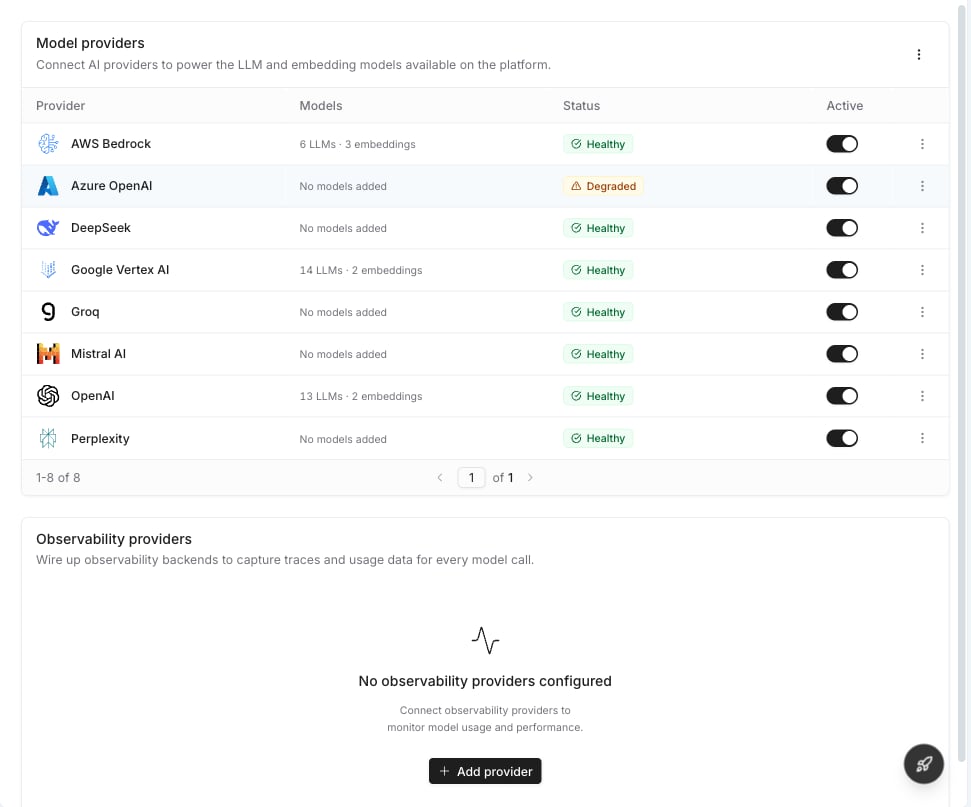
Supported Providers
Noxus supports a wide range of cloud AI providers. Click Add provider to see the full list and connect a new one.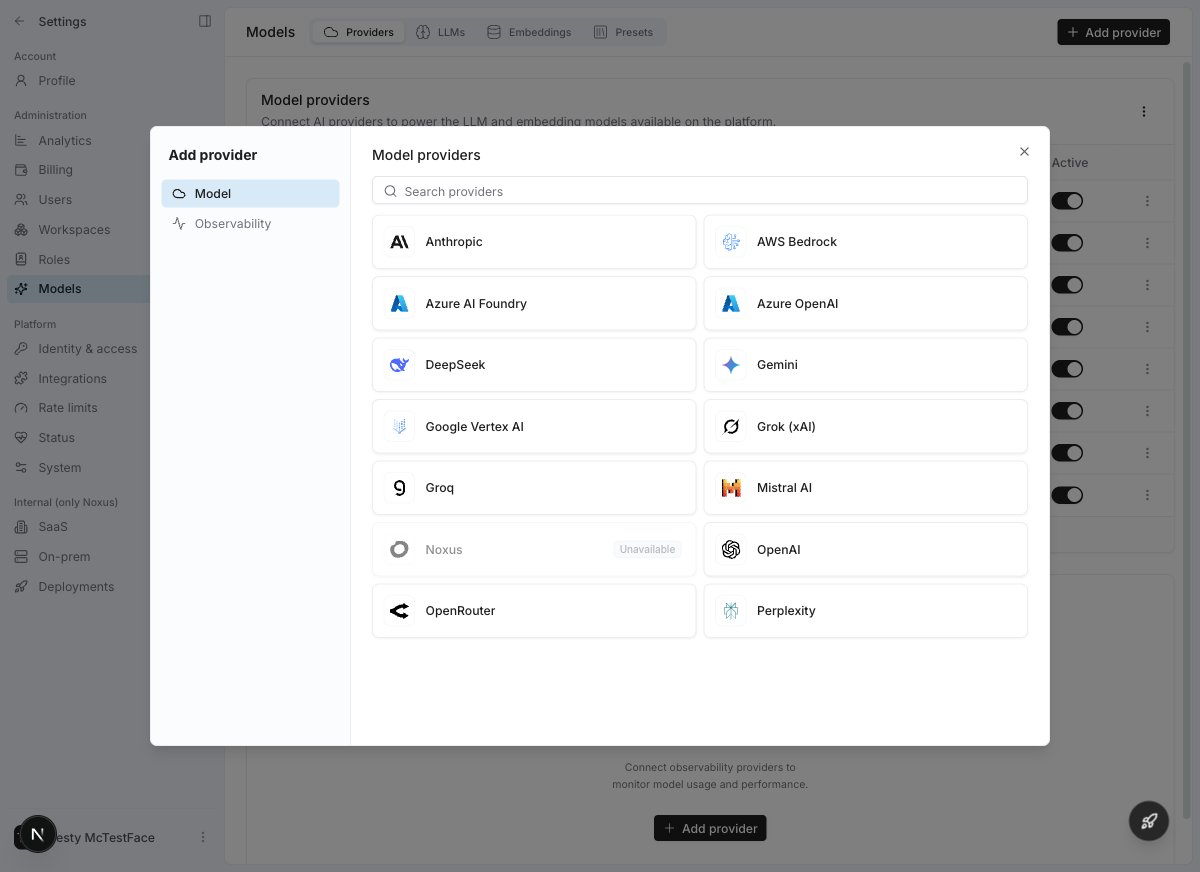
Noxus continuously adds support for new providers. If you don’t see a specific provider listed, it may still be supported via OpenRouter or our plugin system.
Connecting a Provider
1
Open Model Settings
Navigate to Settings > Models. You’ll land on the Providers tab.
2
Add a provider
Click Add provider in the top right. Select Model or Observability from the left sidebar, then choose your provider.
3
Enter credentials
Fill in your API key or complete the authentication flow. For providers like Vertex AI and Bedrock, choose your auth mode and configure regions.
4
Test the connection
Noxus automatically tests your credentials. For multi-region providers (Vertex, Bedrock), each region is tested individually with a step-by-step health pipeline.
5
Enable models
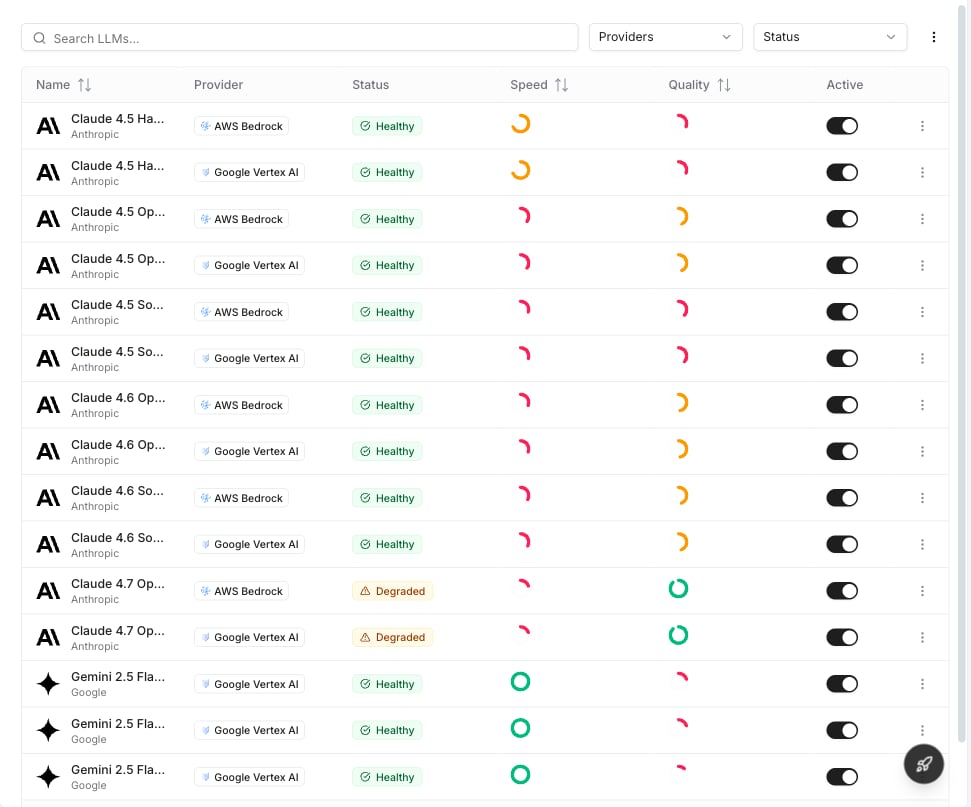
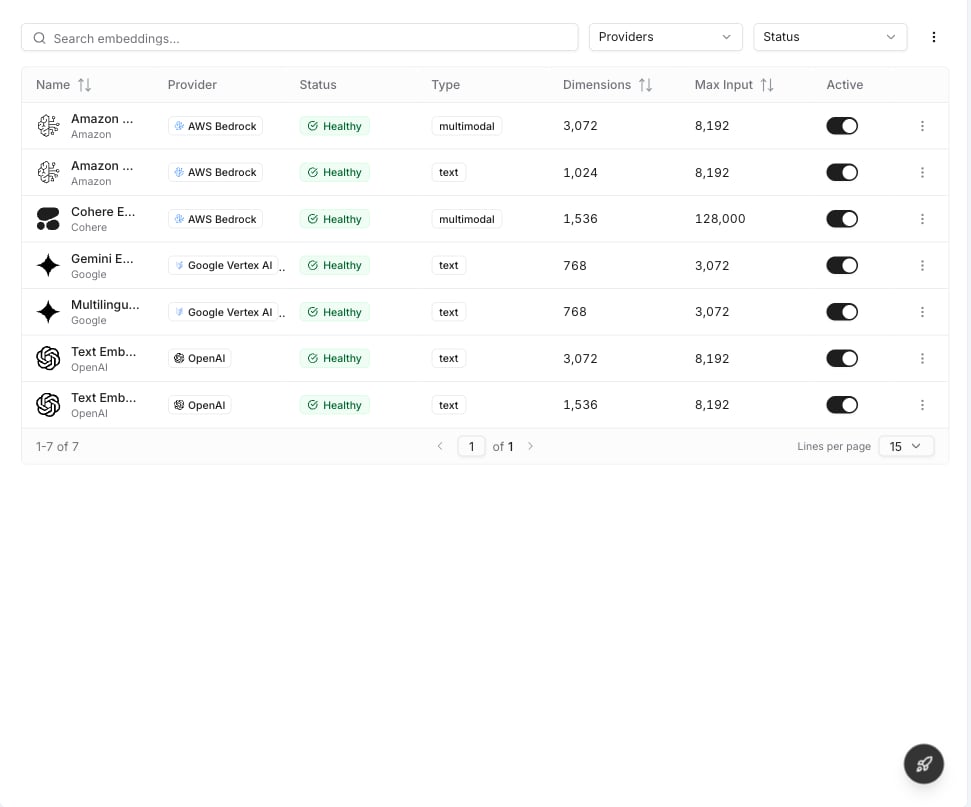
Switch to the LLMs or Embeddings tab and toggle on the models you want to make available.
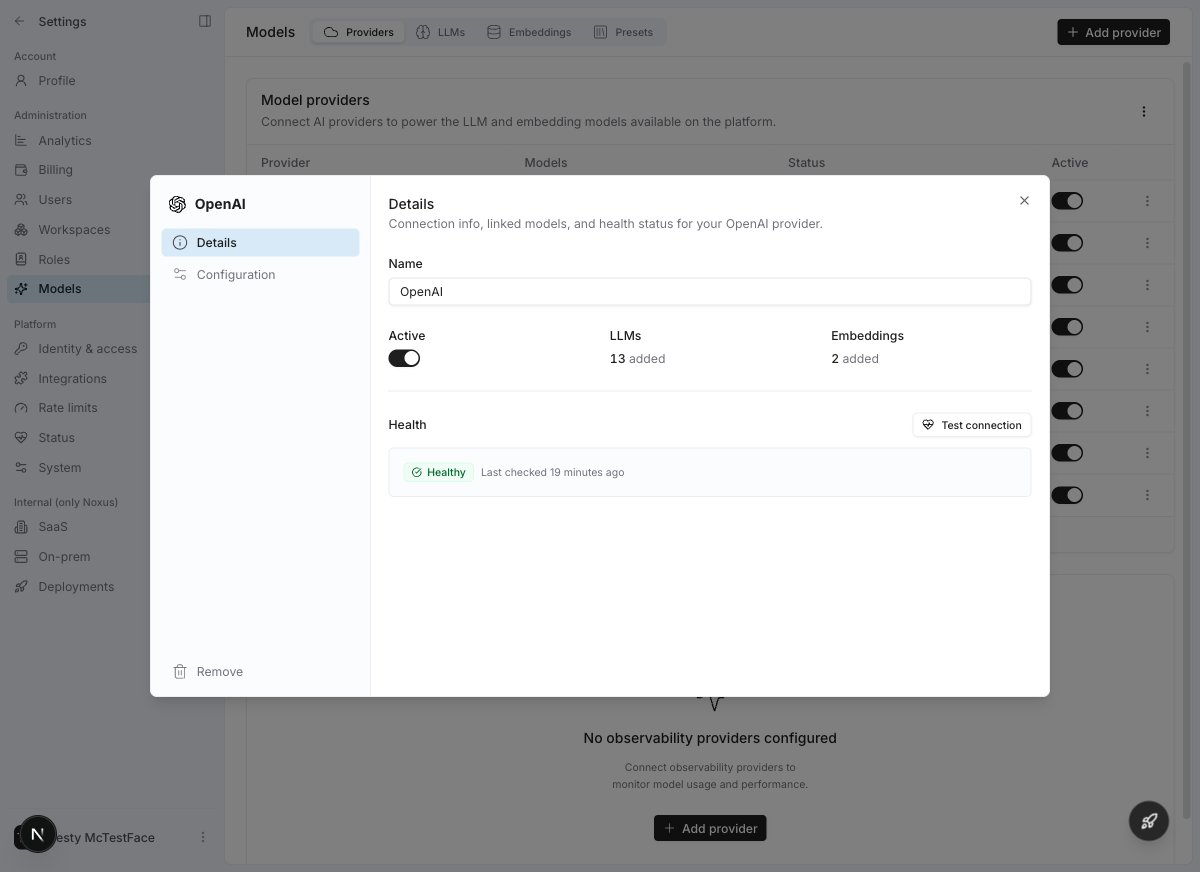
Provider Details
Click any provider row to open its details drawer. Here you can see:- Connection info — name, active toggle, linked model counts
- Health status — last check time, current status, and a Test connection button
Health Monitoring & Model Lifecycle
Noxus continuously monitors your provider connections and model availability through automated health checks that form the model lifecycle system.Provider Health Statuses
These statuses appear on the Providers tab and reflect the overall health of a provider connection:Model Health Statuses
Individual model–provider links (shown on the LLMs and Embeddings tabs) have their own lifecycle:Connection Testing
When you test a provider connection, Noxus runs a multi-step health pipeline that validates each aspect of your configuration:- Authentication — are your credentials valid?
- Permissions — do you have the right access level? (Vertex IAM, Bedrock invoke permissions)
- Regional access — for multi-region providers, each configured region is tested individually
Automatic Lifecycle Management
Noxus runs periodic health checks on all provider connections and model links in the background. Based on results, models transition automatically between lifecycle states:- A healthy model starts failing → after several consecutive failures it becomes suspended and is excluded from routing.
- If failures persist → the model is deactivated and fully removed from routing.
- Periodic recovery probes test deactivated models → if a probe succeeds, the model is restored to healthy.
Model Selection in Flows and Agents
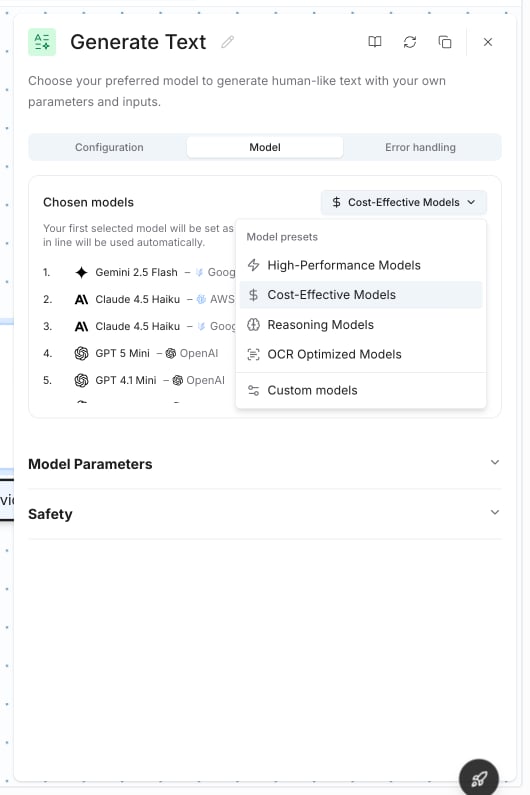
When configuring an AI node in a flow or an agent, you select models through the Model tab in the configuration drawer.Preset Selection
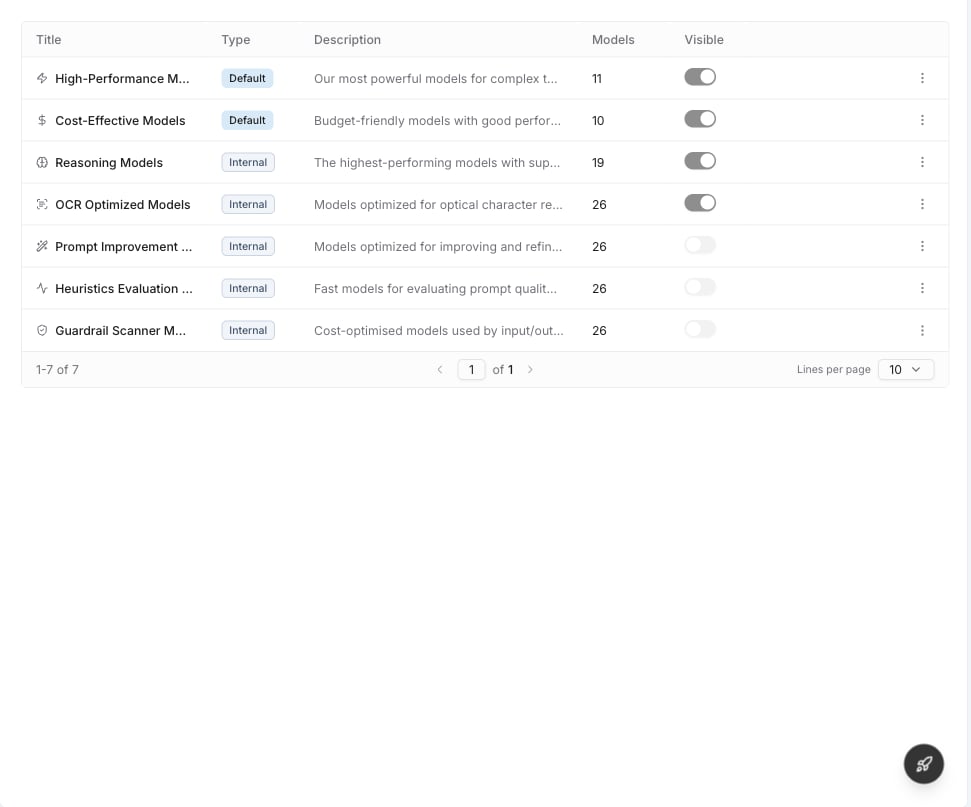
By default, nodes use a model preset — a named bundle of models tried in priority order. If the first model encounters an error, the next one is used automatically.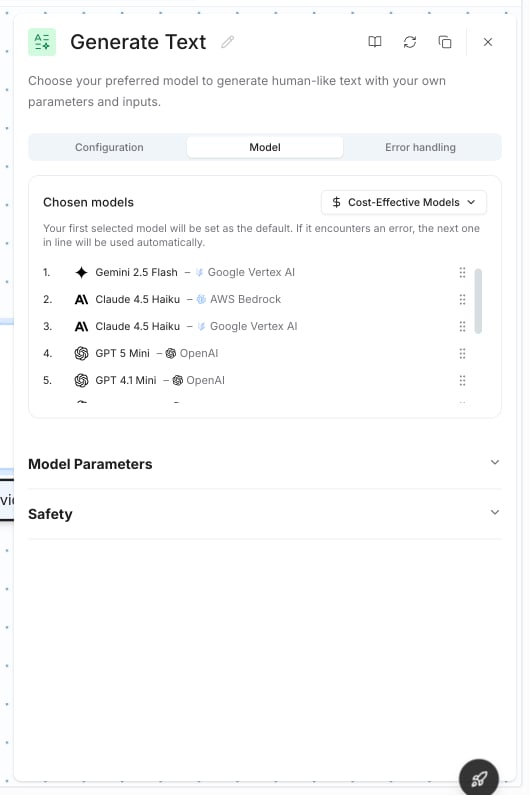
Custom Model Selection
When you choose Custom models, a model browser opens showing all available models across your connected providers. Each model appears once per provider connection, so if you’ve connected both OpenAI and Azure OpenAI, you’ll see separate entries for each.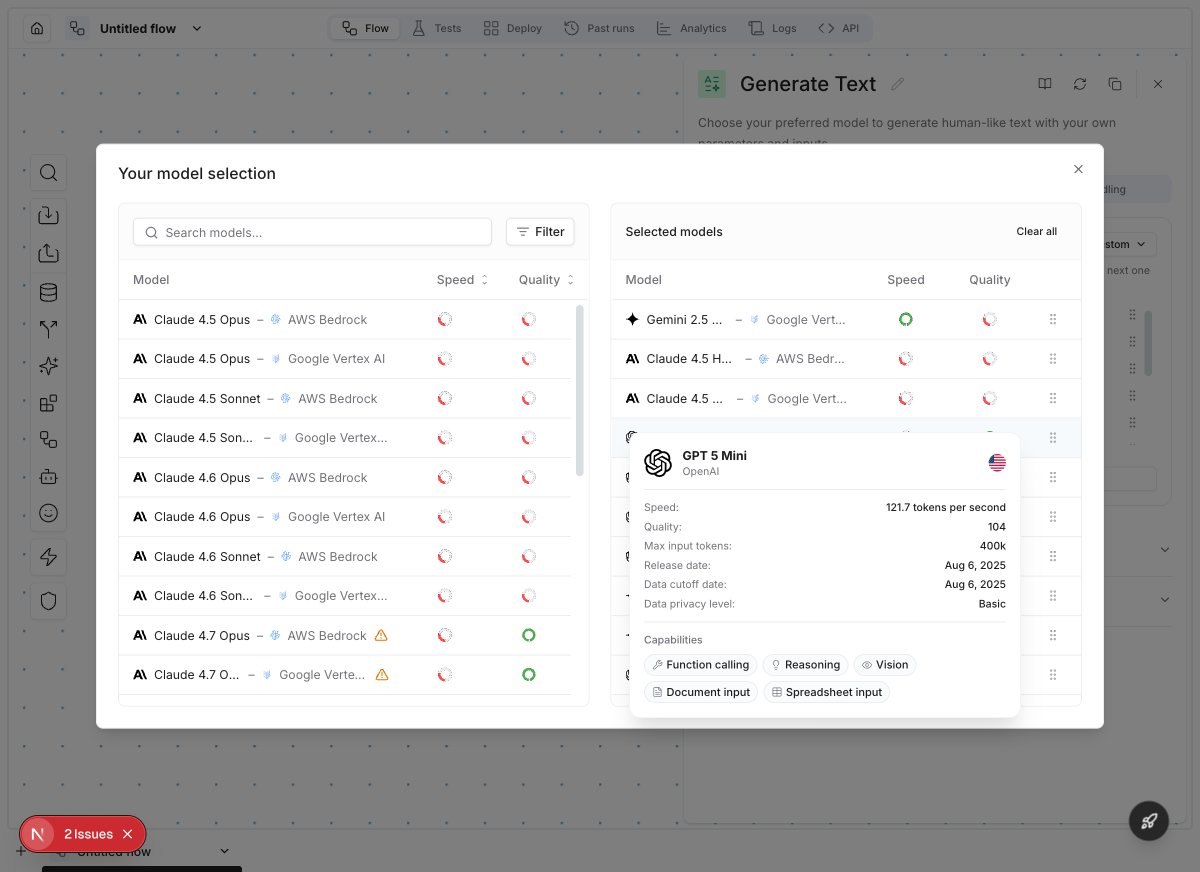
- Search — find models by name
- Filters — narrow by provider, speed, quality, location, and capabilities (vision, function calling, reasoning, etc.)
- Speed & Quality gauges — visual indicators to compare models at a glance
- Model details — hover over a model to see its full specs: speed (tokens/sec), quality score, context window, release date, and capabilities
- Fallback chain — selected models are ordered by priority. The first model is the default; others are fallbacks
Local & Custom Models
For organizations with strict data residency requirements or proprietary models, Noxus offers deep integration for self-hosted infrastructure.Seamless Local Integration
- Private Endpoints: Connect to on-premises inference servers (e.g., vLLM, Ollama, TGI) via secure private networking using custom base URLs on OpenAI-compatible providers.
- Unified Interface: Local models appear alongside cloud providers, allowing for seamless switching in flows and agents.
Custom Model Providers
You can extend the platform to support any proprietary or specialized model through our plugin system.- Custom Inference: Build plugins for internal model servers or niche providers.
- Fine-tuned Models: Easily integrate your organization’s fine-tuned models into the standard workflow.
Observability Providers
In addition to model providers, you can connect observability backends to trace and monitor all AI model calls. See Observability Providers for details.Model Presets
Configure named model bundles for consistent selection across flows.
Model Selection Guide
Choose the right model for your task based on quality, speed, and cost.
Observability Providers
Connect tracing backends for full visibility into model calls.
Security Architecture
Understand how your API keys and model data are protected.