

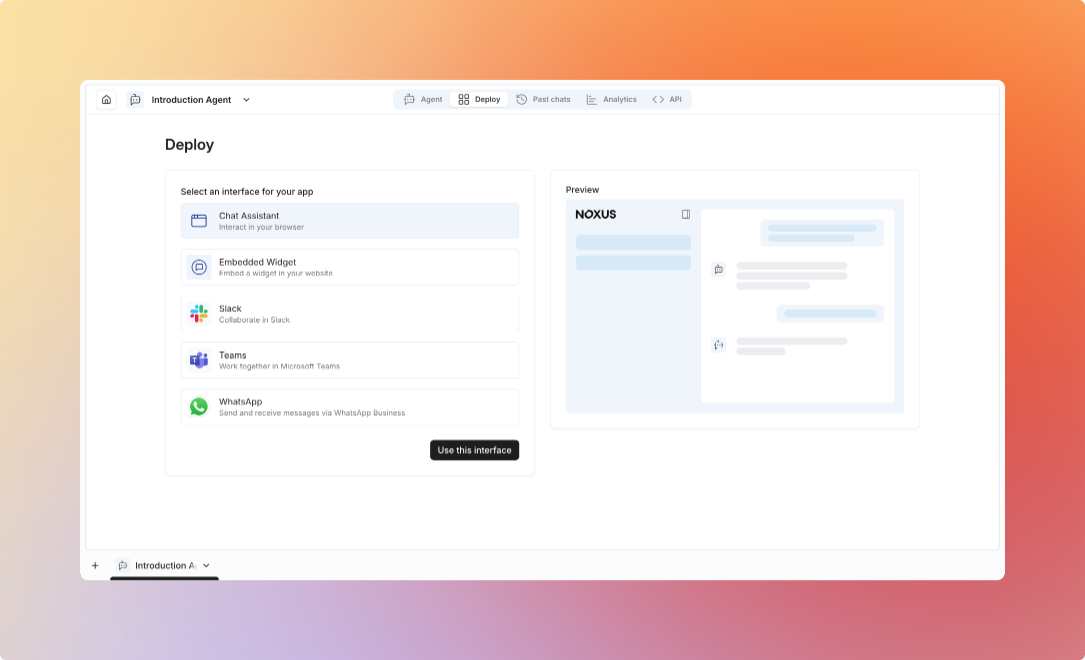
Deployment Options
- Platform Interface
- API Integration
- SDK Integration
- Chat Widget
- Integrations
Deploy agents directly in the Noxus platform
Features
- Web-based chat interface
- Real-time conversation testing
- Performance monitoring
- Configuration management
Use Cases
- Internal team assistants
- Testing and development
- Admin tools
- Training and demos
Agent Configuration
- Model Selection
- Performance Settings
- Resource Limits
Choose the right model for your use case:
Past Chats
Track and review all conversations with your agent. Past Chats provides a searchable table of conversation history. Available Information:- Date created: When the conversation started
- Conversation title: Name or topic of the conversation
- Version: Agent version used for the conversation
- Started by: User who initiated the conversation
- Last message: Timestamp of the most recent message
- Search conversations by content or title
- Filter by time period (All time, Last 7 days, Last 30 days, etc.)
- Sort by date created or last message timestamp
Best Practices
1
Start Simple
Begin with basic configuration, add complexity as needed
2
Test Thoroughly
Test agents with various scenarios before production
3
Monitor Performance
Track metrics and optimize continuously
4
Set Clear Limits
Define resource and cost limits upfront
5
Implement Fallbacks
Handle errors and edge cases gracefully
6
Review Regularly
Review conversation logs and update instructions
7
Collect Feedback
Act on user feedback to improve agent performance
Agent Tools
Configure tools and capabilities for your agents