

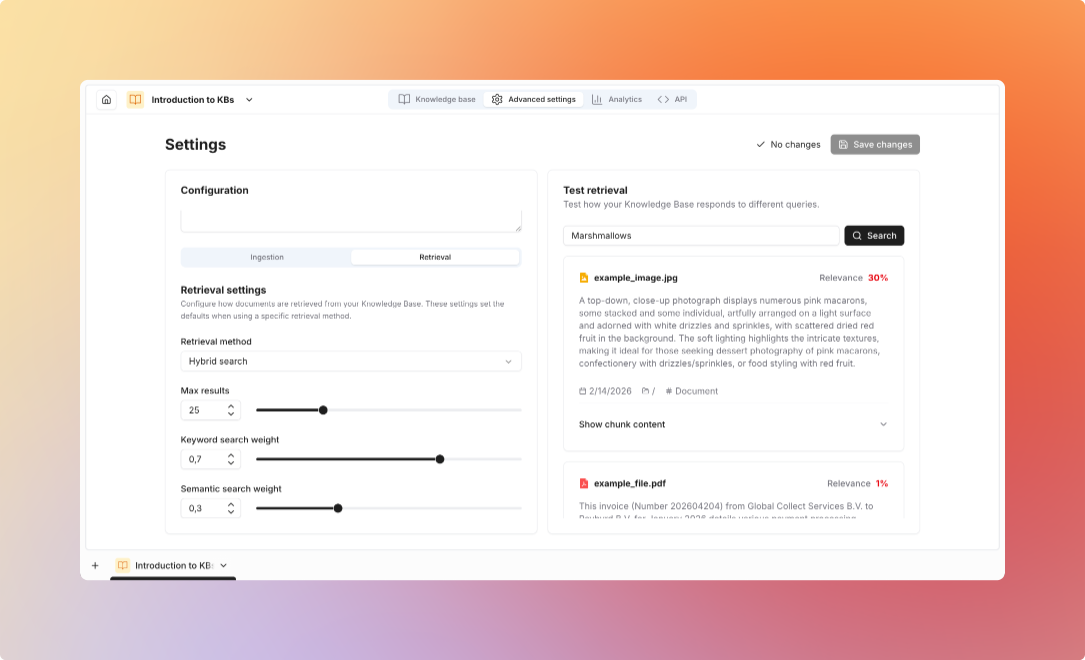
Search Methods
- Semantic Search
- Keyword Search
- Hybrid Search
- Reranking
Uses vector embeddings to understand meaningExample: “climate initiatives” matches “environmental programs”, “sustainability efforts”
Best For: Natural language queries, conceptual similarity, finding related information
Retrieval Settings
Top-K (Number of Chunks)
Top-K (Number of Chunks)
How many chunks to retrieve:Recommendations:
- 5-10 chunks: Most use cases
- 3-5 chunks: Quick answers, cost-sensitive
- 10-20 chunks: Complex questions, comprehensive answers
- More chunks = more context but slower and costlier
- Fewer chunks = faster but may miss information
Similarity Threshold
Similarity Threshold
Filter out low-relevance chunks:Range: 0.0 (all results) to 1.0 (exact match only)Recommendations:
- 0.5-0.6: Lenient, more results
- 0.7: Balanced, good default
- 0.8+: Strict, high precision
Chunk Size
Chunk Size
Size of document segments:Options:
- 256 tokens: Precise, more chunks needed
- 512 tokens: Balanced, recommended default
- 1024 tokens: More context per chunk
- Smaller chunks = more precise but need more retrievals
- Larger chunks = more context but less precise
Chunk Overlap
Chunk Overlap
Overlap between consecutive chunks:Typical: 50-100 tokensPurpose:
- Prevents information loss at boundaries
- Ensures continuity of context
- Improves retrieval quality
Embedding Models
FastEmbed provides the best balance of quality, speed, and cost for most use cases. Upgrade to OpenAI for mission-critical applications or multilingual models for international content.
Advanced Features
Folder-Based Search
Folder-Based Search
Limit search to specific folders:Benefits:
- Faster searches
- More relevant results
- Domain-specific retrieval
- Organized knowledge
- Search only “HR Policies” for HR questions
- Search only “Product Docs” for technical questions
- Separate public vs internal documents
Metadata Filtering
Metadata Filtering
Filter by custom metadata fields:Examples:
- Only documents from “Engineering” department
- Only documents tagged “2024”
- Only documents by specific author
- Only documents of type “Policy”
Citation Configuration
Citation Configuration
Control how sources are cited:Options:
- Include page numbers
- Show file names
- Display chunk IDs
- Add custom metadata in citations
Managing Through Flows
Automate knowledge base operations with flows