Deploy flows as interactive applications that your workspace users can access directly from the Noxus platform. A deployment gives users a dedicated URL where they can provide inputs, run the flow, and see results — all without touching the editor.
Form is the quickest way to put a flow in front of a user. No setup is needed beyond publishing the flow and choosing who is allowed to use it.
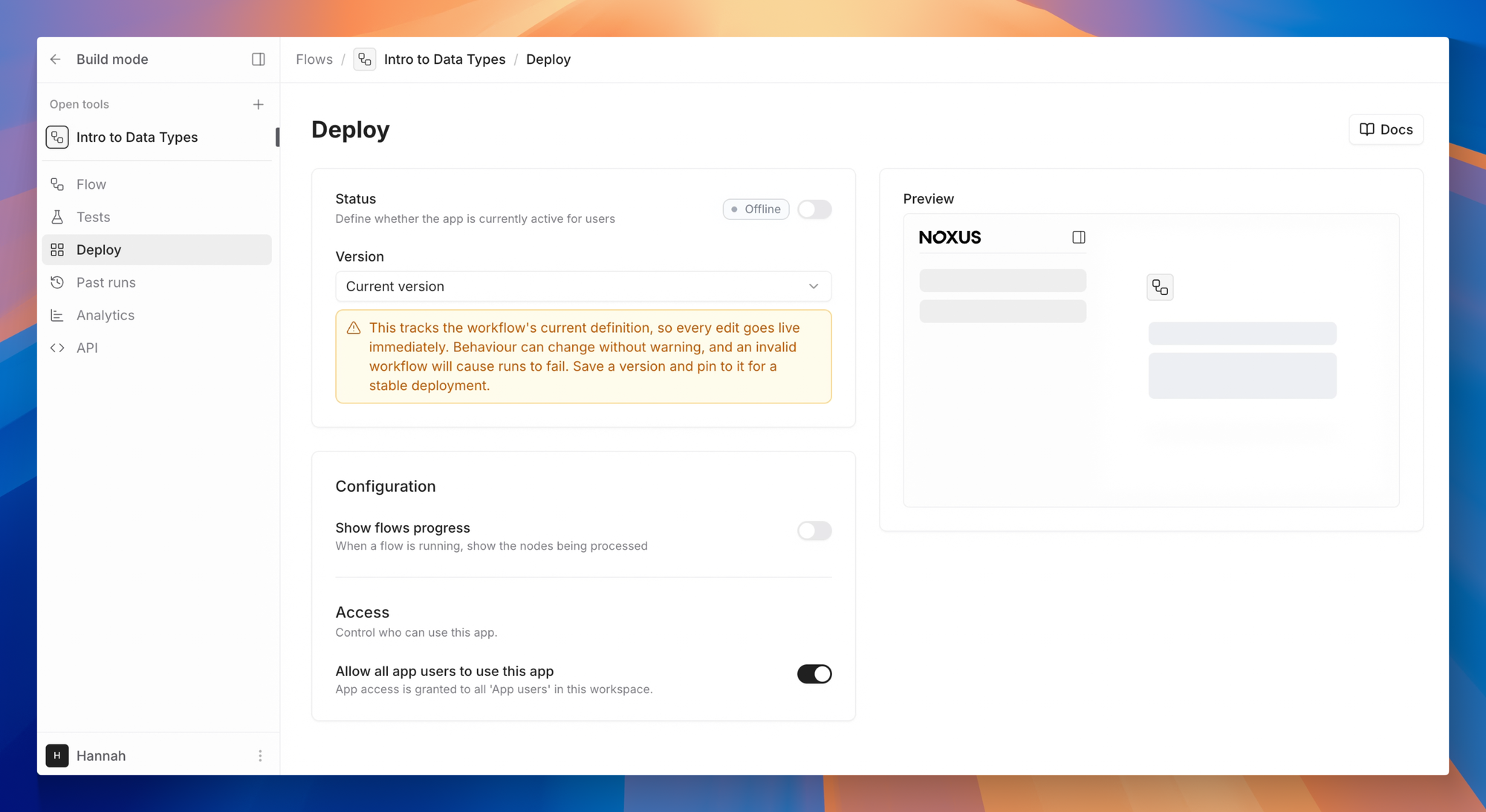
Deployment
| Field | Description |
|---|
| Status | Toggle the deployment Online or Offline. A published version is required before going online. |
| Version | The published flow version this deployment uses. |
| App URL | Authenticated URL where users can access the form. Shown once the deployment is online — requires users to be logged in to your workspace. |
A published version is required before you can set a deployment to Online. Switch the deployment to Offline before editing its configuration.
Access
Control who in your workspace can open the form.
| Field | Description |
|---|
| Custom Instructions | Per-deployment instructions appended to the flow’s system prompt. |
| Allow all app users to use this app | When enabled, every App user in the workspace can open the form. |
| Allowed users | When the toggle above is off, pick a specific list of users who can access this deployment. |
Display
| Field | Description |
|---|
| Show output progress | When enabled, users see which nodes are being processed while the flow runs. |
Next Steps
- Read the API Reference for programmatic access
- Learn about Agents for conversational deployments
- Explore Knowledge Bases to power your flows and agents with document retrieval