

Usage resets on the first day of each month at 00:00 UTC. The Overview shows the date of the next period.
You see both on Settings → Billing → Overview. Only people with the Manage billing permission can open this page.
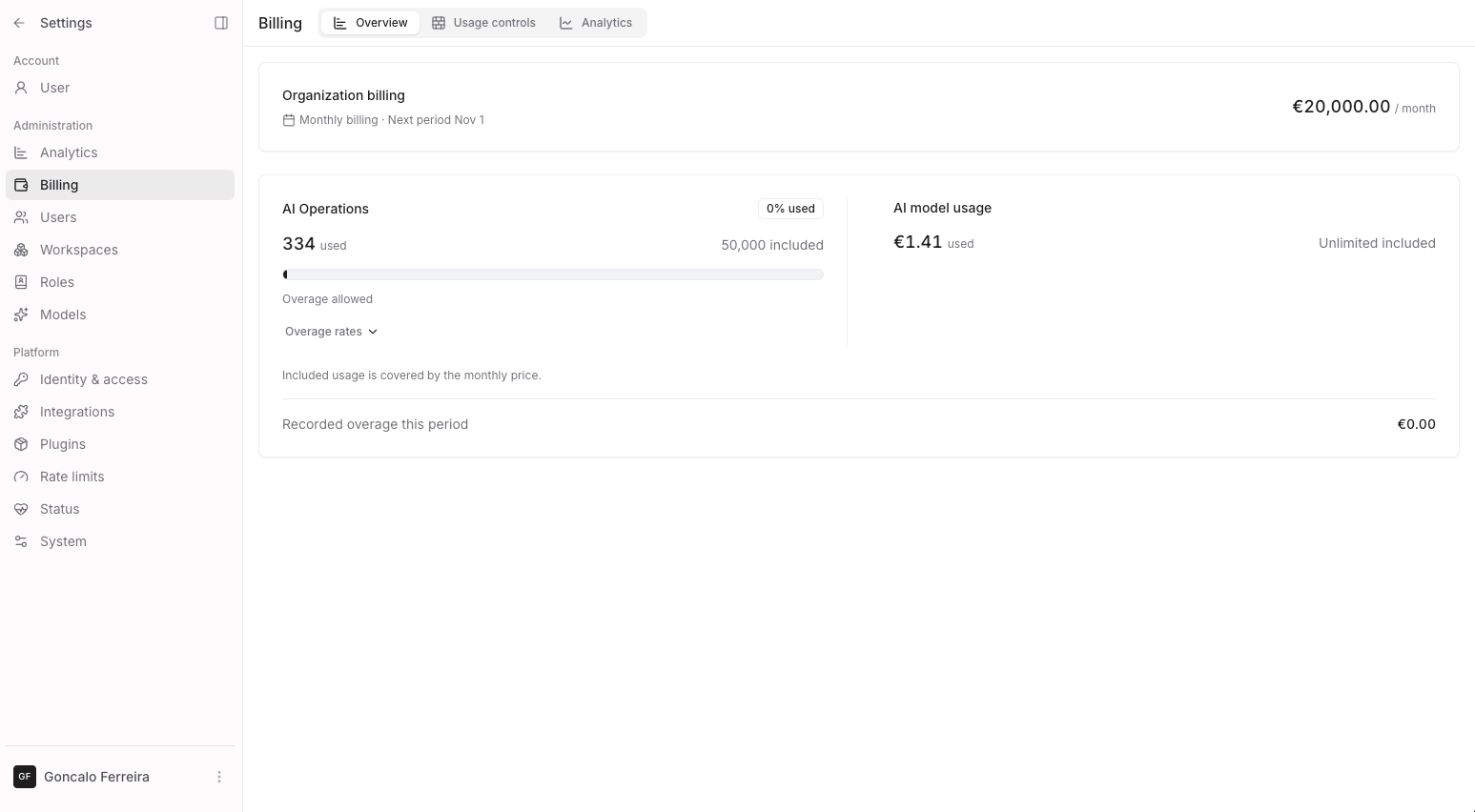
Settings → Billing → Overview
What counts as an AI Operation
Counts as 1 AI Operation
- Each node run in a flow. A node that runs for 10 items counts 10.
- Each agent reply, also when it fails or is stopped.
- Each file processed by a knowledge base, also when a file is updated or processed again.
Does not count
- Genie replies.
- Basic nodes: Input, Output, Fixed Value, Combine Text, List Operations, List to Single Value and Single Value to List.
What counts as AI model usage
Counts
- The cost of model responses in flows, agents and Genie.
- Estimates for calls that are still running or have no usage report.
- Background calls, such as guardrail checks and chat titles.
Does not count
- Model connection checks.
- Cached responses.
- Estimates for interrupted calls.
When you use more than your plan includes
Usage controls
Set your own limits in Settings → Billing → Usage controls. Your plan limits still apply.
If your organization uses the Noxus provider, a spend limit can also cover Noxus-provided models (every call Noxus serves with its own keys) or Your own provider keys (every call on the providers you connected).
A new limit includes the usage from earlier in the month.
A model call’s final cost can take spending above the limit.
You can get an email when usage reaches 50, 75, 90, 95 or 98% of a limit.
To change a limit, select Edit in its row menu.
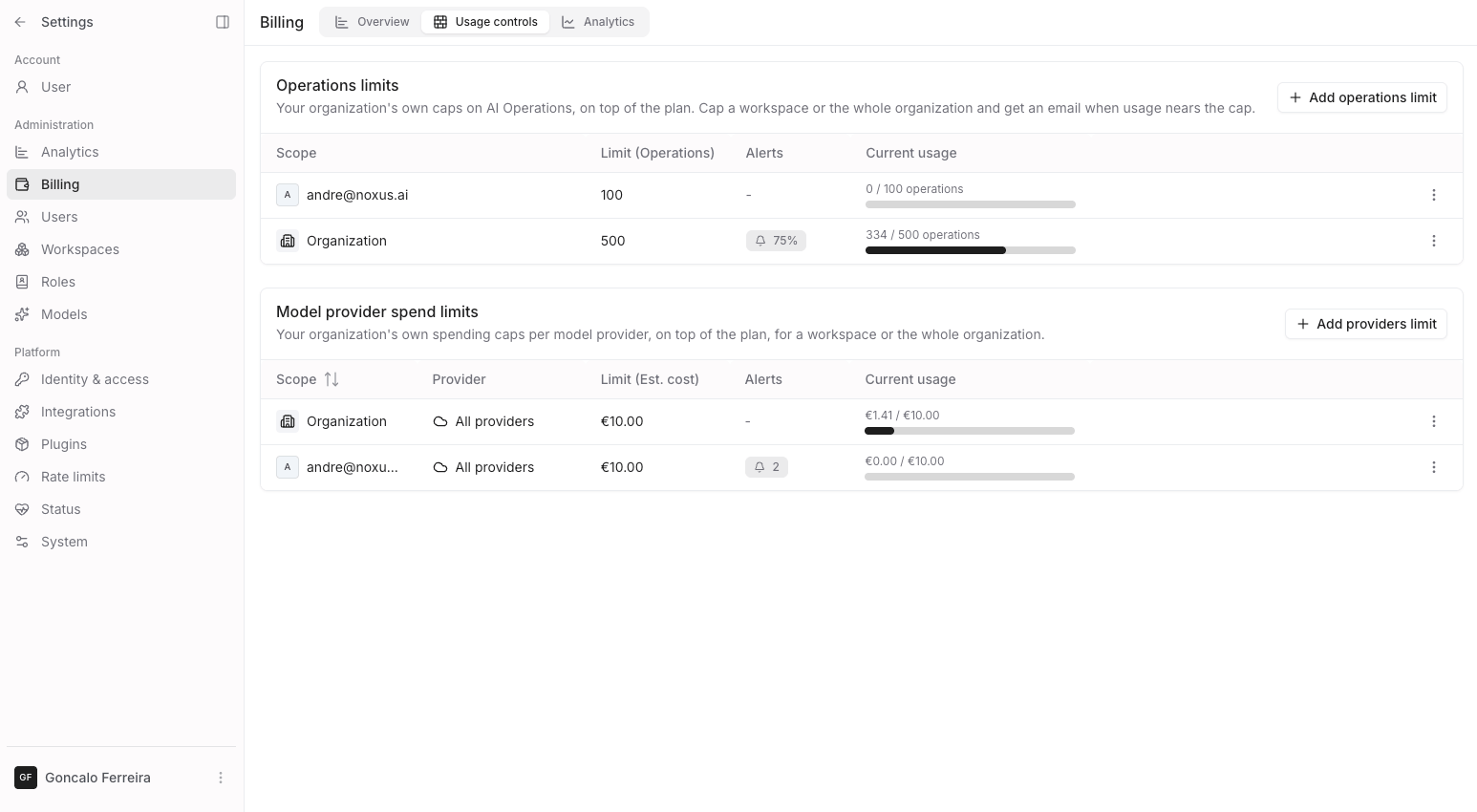
Settings → Billing → Usage controls
When a limit is reached
New work that counts toward the limit is blocked. A running flow stops at the next step; the steps before it still count. The run or the chat says that a usage limit was reached.
You can also wait for the limit to reset. Billing managers see the reset date in the dialog.
People without the Manage billing permission see only that a limit was reached. They do not see the numbers.
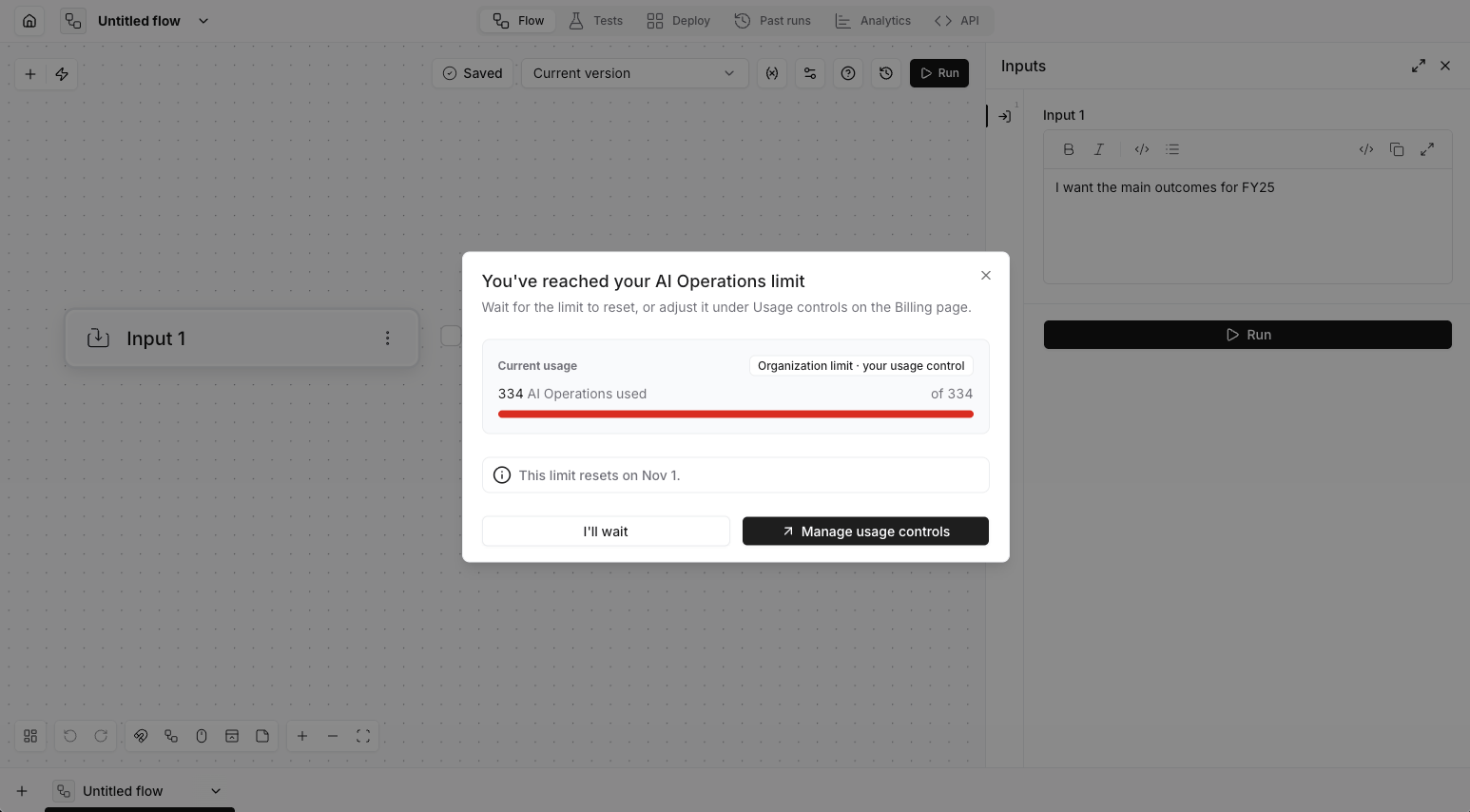
The limit dialog, as a billing manager sees it
Why work can be blocked before a limit is used up
How holds work
How holds work
Before work starts, it holds part of your allowance. Running work holds a batch of AI Operations and uses one for each step. A model call holds the most it could cost, up to USD 1. When the work ends, what it did not use goes back. Near a spend limit, a model call waits up to 60 seconds for other calls to give back their holds before it is refused.A call that costs more than USD 1 still counts its full cost, so spending can go above a limit.
See also
- Billing analytics: what the figures on Settings → Billing → Analytics mean.