

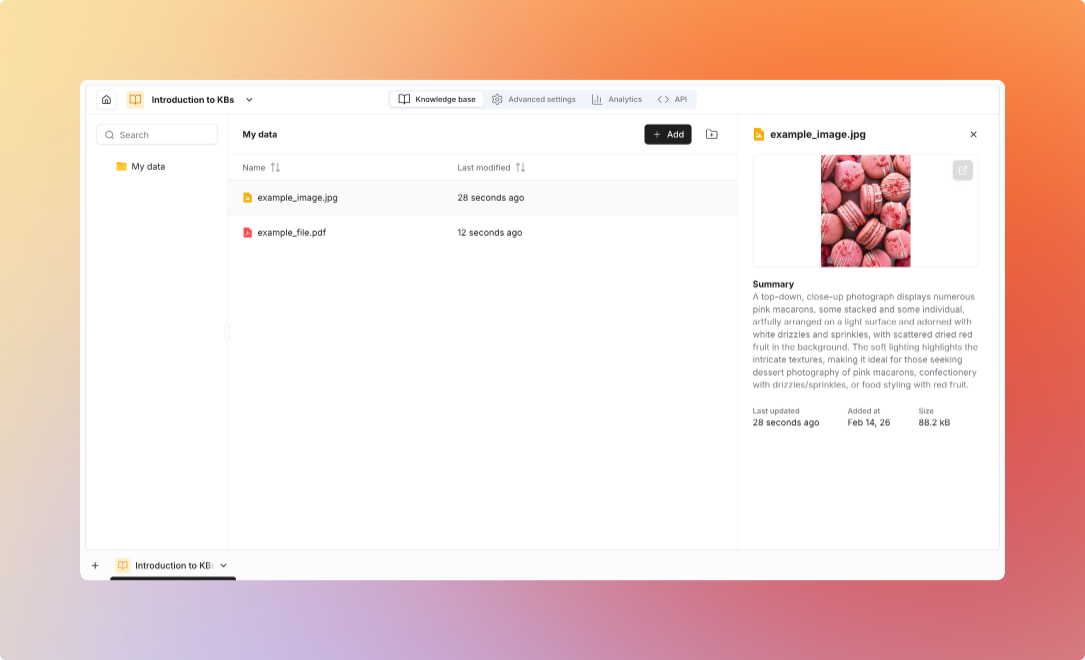
Supported File Formats
Text Documents
Text Documents
Spreadsheets
Spreadsheets
Presentations
Presentations
Images
Images
Archives & Email
Archives & Email
Cloud Storage Integrations
Google Drive
Google Drive
Features:
- Connect to Google Drive
- Select folders to import
- Import files from selected folders
- Preserve folder structure
- Connect Google Drive integration
- Select folders to import
- Import files into knowledge base
Files are imported at the time of selection. They do not automatically sync when updated in Google Drive.
Website Scraping
Website Scraping
Features:
- Crawl entire websites
- Follow links automatically
- Extract clean text
- Preserve page structure
- Schedule regular updates
- Provide starting URL
- Configure crawl depth
- Set URL patterns to include/exclude
- Schedule refresh frequency
Upload Methods
- Manual Upload
- API
- SDK
- Flows
Via Platform UI:
- Drag-and-drop files
- Bulk upload multiple files
- Organize into folders
- Add metadata tags
Supports individual files, multiple files at once, and ZIP archives (auto-extracted)
Metadata
Standard Metadata
Standard Metadata
Automatically captured:
Custom Metadata
Custom Metadata
Add your own fields:Common Fields:
- Author, Department, Document type
- Version, Tags/categories
- Creation date, Expiration date
- Filter searches by metadata
- Organize documents
- Track document lifecycle
- Enable advanced queries
Advanced Settings
Configure search methods and retrieval settings