

What are Inputs & Outputs?
Input and Output nodes are the fundamental entry and exit points for data in your flows. They define how information enters your flow, gets processed through various nodes, and returns results to users or systems.Node Types
Core Capabilities
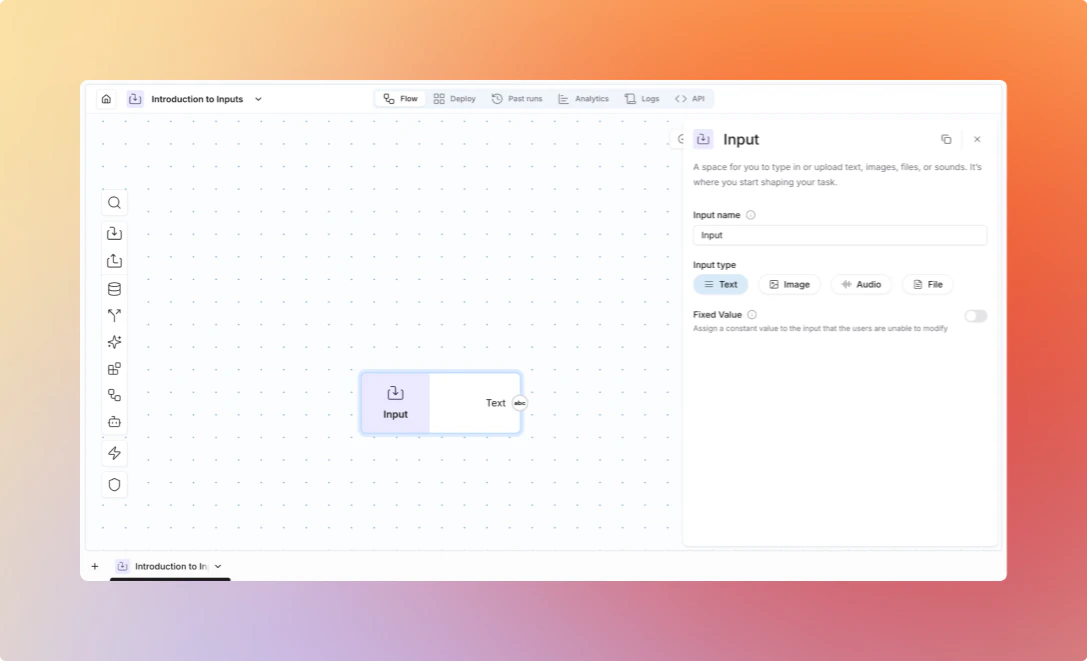
Type Configuration - Input and Output nodes require explicit type selection from supported data types (Text, Image, Audio, File). You must configure the expected data type during node setup, and the node will enforce this type throughout flow execution.Input nodes have a “Type” configuration field where you select from available
data types. This determines both the input connector type and the output
connector type.
/ in it inserts a slash rather than opening the variable menu.
External Data Sources - Input nodes receive data when flows are called via API, webhooks, triggers, or other external sources. This requires the flow to be executed through API calls rather than running directly in the flow editor, providing standardized data ingestion points for programmatic flow execution.
Output Formatting - Output nodes pass through received data in the configured type format. For String outputs with list inputs, the system automatically formats list items with bullet points for readability.
Specialized Input/Output Nodes - Integration nodes like Read Email, Read Excel, and Send Email function as specialized entry and exit points for flows. Unlike basic Input and Output nodes, these require integration-specific configuration and authentication.
Next Steps
- Learn about Nodes
- Explore Integrations
- Check out the Platform