

The Analytics tab
Open an agent and click Analytics in its sidebar. The tab has the same filter bar as the boards in Analytics: the period, the grouping, and the Filter menu, with Conversation, User, Version, Channel and Model.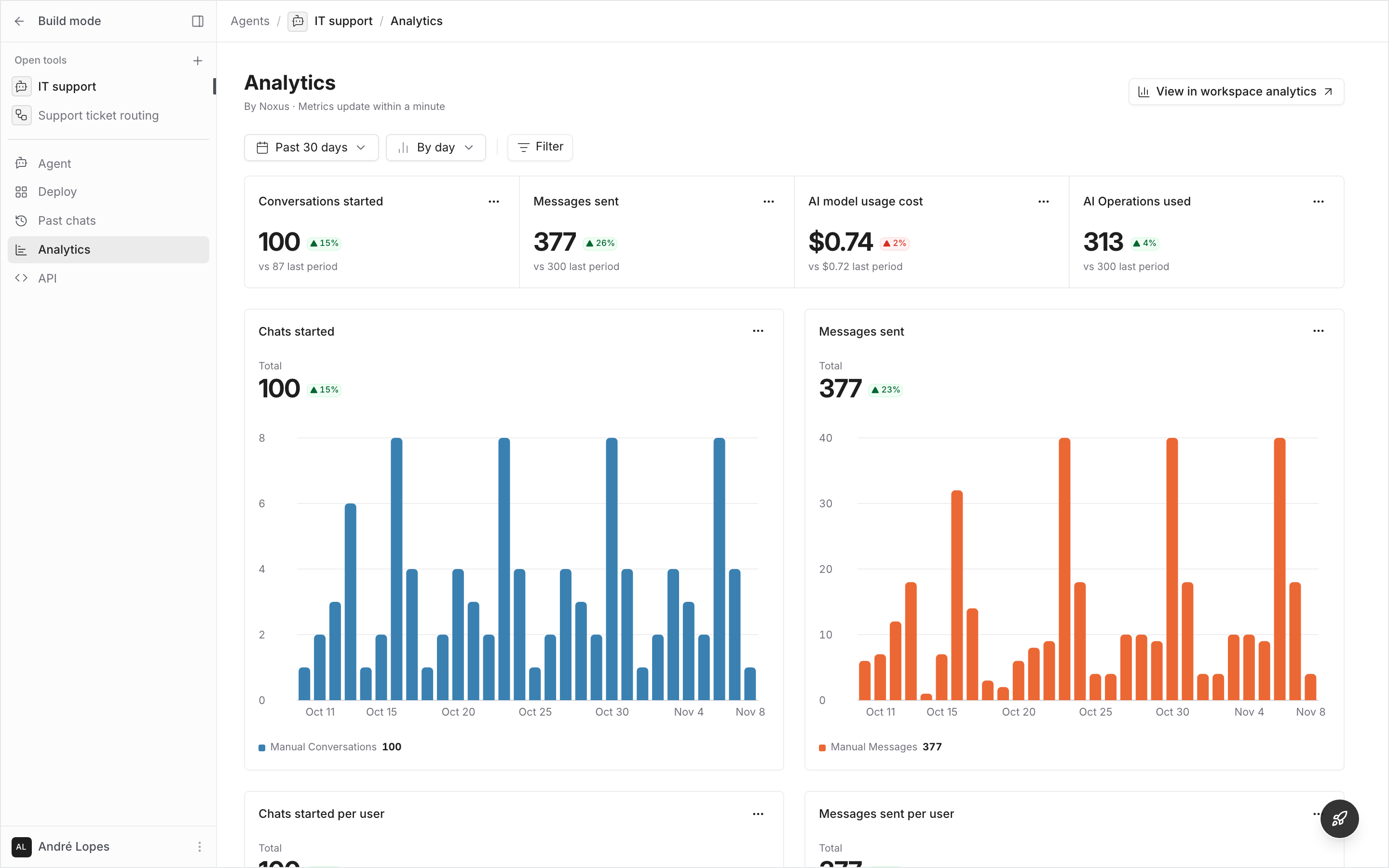
View in workspace analytics, beside the title, opens Agent activity in Analytics filtered to this agent, over the same period.
The Analytics tab needs View workspace analytics. To learn what users talk about and how satisfied they are, see Agent Insights.
A single conversation
A conversation’s cost is in the Conversation costs drawer.1
Open the drawer
In a conversation, open the cost breakdown from the action row under a reply. Only replies that called a model have one.
2
Read the conversation's cost
The drawer shows the cost of the whole conversation and of each message. Sort the messages to find the most expensive.
3
Compare it with other conversations
Open in agent analytics opens the agent’s Analytics tab filtered to this conversation, over the days it ran. The conversation shows as a chip; remove it to see the whole agent again.
What counts
- Conversations started: every conversation with the agent. The Channel filter narrows them to where they happened.
- Messages sent: messages from users and replies from the agent.
- Failed replies: replies that ended in an error.
- Cost: the tokens each call used, priced at the model’s catalogue rate, plus estimates for calls still running or without a usage report. It is what model usage budgets count, and can differ from your provider’s invoice. See AI model usage cost.
- Health checks that test a model connection are never counted.